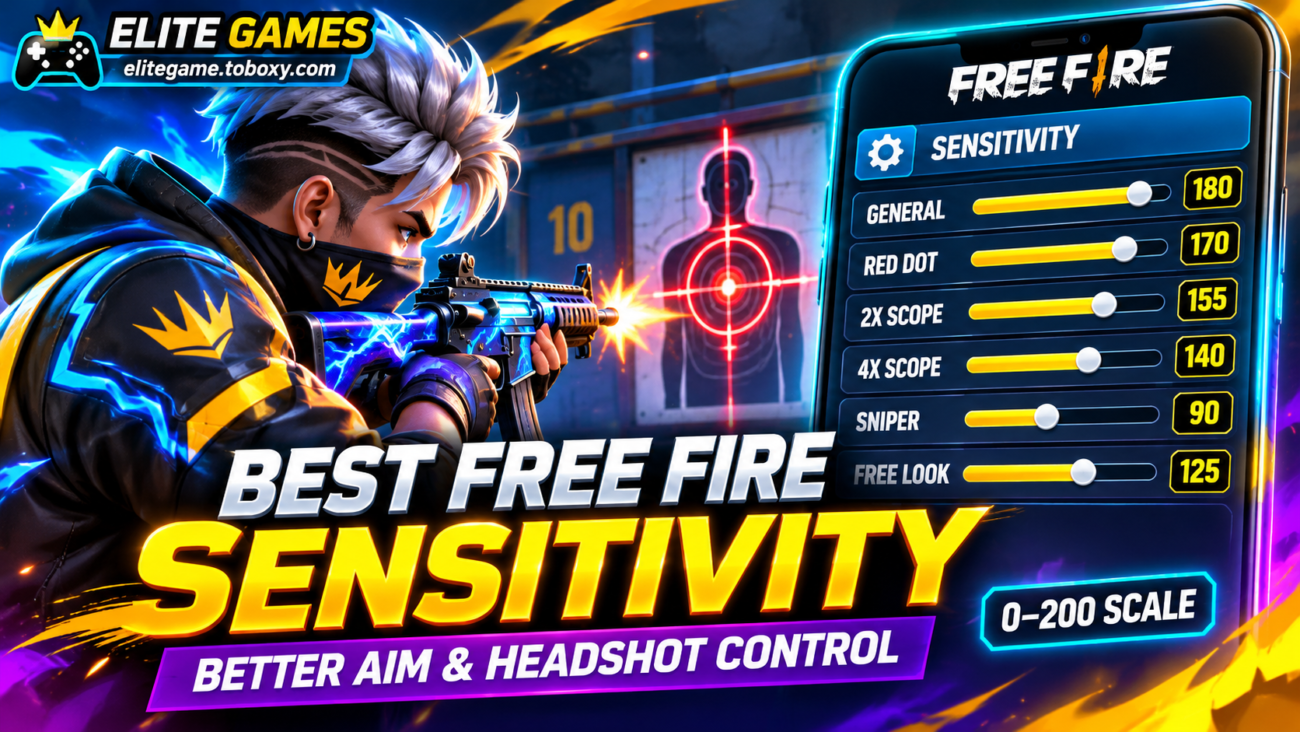
The best Free Fire sensitivity settings are those that let you aim quickly without losing control of your crosshair. For players using the current 0–200 sensitivity scale, a practical starting configuration is General 180, Red Dot 170, 2x Scope 155, 4x Scope 140, Sniper Scope 90, and Free Look 125. These values provide a balance between fast movement and controlled aiming, but they are not guaranteed to work equally well on every smartphone.
Garena officially increased the maximum sensitivity value to 200, giving players more room to customize their controls. However, the developer has not established one universal configuration that guarantees headshots. Screen responsiveness, frame rate, control layout, weapon selection, and personal movement habits can all influence the results.
Finding the right settings requires understanding what each option does and testing adjustments in realistic situations. At elitegame.toboxy.com, we explain how to configure your sensitivity, improve drag headshots, adapt controls to different devices, and avoid common mistakes that make aiming less accurate.
Recommended Free Fire Sensitivity Settings for Better Aim
Free Fire provides several sensitivity controls, allowing players to adjust the speed of their camera and weapon aiming independently.
Garena confirmed the expanded sensitivity range in its official Mechadrake Invasion patch notes, which introduced the 200-point maximum.
The following values are suggested starting points for the 0–200 scale. They are editorial recommendations, not an official preset from Garena.
Balanced sensitivity for most players:
- General: 180
- Red Dot: 170
- 2x Scope: 155
- 4x Scope: 140
- Sniper Scope: 90
- Free Look: 125
General sensitivity affects how quickly the camera responds during ordinary movement and unscoped aiming. A relatively high value can help players react faster during close-range encounters.
Red Dot sensitivity influences aiming through compatible sights. Players who frequently use assault rifles or submachine guns may benefit from adjusting this setting carefully.
The 2x and 4x Scope controls affect aiming with magnification. Lower values can make smaller corrections easier, particularly when following moving opponents at medium or long distances.
Sniper sensitivity generally benefits from more deliberate control because excessive movement can make precise shots difficult.
Free Look affects the camera movement used to observe the surroundings. It does not directly control the accuracy of a shot fired through a weapon sight.
For players exploring competitive strategies through elitegame.toboxy.com, the important principle is to develop predictable aiming rather than setting every slider to its maximum.
A value of 200 does not automatically improve accuracy. If the crosshair repeatedly moves beyond the intended target, reducing sensitivity may provide better results.
Choosing Sensitivity Based on Your Smartphone and Playing Style
Two players using identical sensitivity values can experience different results.
A smartphone with stable performance may respond more smoothly than a device experiencing frequent frame drops.
Screen size, refresh rate, touch response, and the player’s control technique also matter.
Instead of recommending an exact configuration for every phone brand, it is more useful to establish different starting points based on gameplay preferences.
For Aggressive Close-Range Players
Players who frequently rush opponents or use short-range weapons may prefer faster camera movement.
An experimental starting configuration is General 190, Red Dot 185, 2x Scope 165, 4x Scope 145, Sniper Scope 95, and Free Look 135.
These values prioritize quick turns and short aiming movements.
However, aggressive sensitivity can make precise shooting more difficult if the player cannot control small movements consistently.
For Players Who Prefer Accuracy
Players who frequently fight at medium distances may prefer a steadier configuration.
A possible starting point is General 160, Red Dot 155, 2x Scope 140, 4x Scope 125, Sniper Scope 80, and Free Look 110.
This setup sacrifices some turning speed in exchange for potentially finer aiming control.
Neither configuration is universally superior.
At elitegame.toboxy.com, we recommend comparing both approaches in training rather than assuming a particular smartphone automatically requires higher or lower sensitivity.
Should You Change Your Phone’s DPI?
Some players modify Android display density settings because they believe doing so will automatically improve headshots.
However, changing system-level settings is not necessary to achieve better aim in Free Fire.
Adjusting display density may affect interface scaling and the way controls appear on the screen.
Players should begin with the sensitivity and HUD tools provided by the game itself.
An unfamiliar system setting can create more problems than it solves.
How to Test Sensitivity and Improve Headshots
Finding a reliable configuration requires practice.
Garena expanded the Training Grounds experience and introduced a shooting sensitivity adjustment panel in the Target Range, as documented in the official OB50 patch notes.
This provides players with a practical environment for evaluating adjustments before entering competitive matches.
A useful testing routine follows these steps:
- Open Free Fire and access the sensitivity settings.
- Enter the recommended starting values.
- Visit Training Grounds and select a familiar weapon.
- Practice keeping the crosshair near the opponent’s upper body.
- Use short, controlled upward movements while aiming.
- Observe whether the crosshair stops below, reaches, or passes the intended target.
- Adjust the relevant sensitivity by approximately five points.
- Repeat the exercise before making additional changes.
If the crosshair consistently moves above the intended target, the relevant sensitivity may be too high for your movement.
If it repeatedly stops short, a slightly higher value may help.
Avoid changing every slider simultaneously because doing so makes it difficult to identify which adjustment improved your control.
Another useful consideration is your HUD layout.
Garena introduced a HUD Recommendation System in OB52 that allows players to explore layouts shared by other players. Its sharing system can also include sensitivity configurations.
When applying a shared HUD, players can choose whether to synchronize the associated sensitivity settings.
This is particularly important when copying professional layouts.
A HUD designed for four-finger controls may not feel comfortable to someone who plays with two thumbs.
For readers following gaming recommendations on elitegame.toboxy.com, improving crosshair placement and practicing with familiar weapons is more dependable than constantly importing new configurations.
Mistakes to Avoid
One frequent mistake is setting every sensitivity value to 200 and assuming maximum movement speed guarantees headshots.
Another is copying old settings created for the former 0–100 scale without checking the current slider range.
Players should also avoid changing their sensitivity after every unsuccessful match. A single defeat does not prove that the configuration is unsuitable.
Finally, do not trust applications or modified files promising automatic headshots, perfect accuracy, or guaranteed victories. These claims are not legitimate sensitivity adjustments.
Two Final Recommendations
Begin with the balanced configuration and practice using the same weapon for several sessions. Make small adjustments based on how your crosshair actually moves, and focus on consistency rather than copying settings from popular players without testing them.
Keep your frame rate as stable as your device permits and choose a HUD layout that feels comfortable. At elitegame.toboxy.com, we recommend mastering controlled aiming movements before experimenting with faster configurations or advanced control layouts.
Conclusion
The best Free Fire sensitivity is not a universal collection of numbers, but a configuration adapted to your device and aiming style. General 180, Red Dot 170, 2x Scope 155, 4x Scope 140, Sniper Scope 90, and Free Look 125 provide a reasonable starting point on the 0–200 scale.
General and Red Dot settings are especially relevant to quick close-range movements, while scope sensitivity should support controlled adjustments at greater distances. Testing the settings in Training Grounds helps identify whether your aim is moving too slowly or overshooting targets.
Players who want more consistent headshots should prioritize crosshair placement, stable performance, and repeated practice. Small improvements to a familiar configuration are usually more productive than constantly searching for a supposedly perfect sensitivity.
